When you are planning an event, it is easy to focus on the big things. The venue. The speakers. The catering. The agenda. These things matter, of course. But there is one small item that every single attendee touches the moment they walk through the door, and most planners do not give it nearly enough thought.
The event badge.
Your badge is the first physical thing an attendee interacts with on the day. It shapes whether check-in feels smooth or chaotic. It determines whether strangers start conversations or spend the coffee break staring at their phones. And it gives your team the information they need to manage access, track attendance, and keep things running on time.
This guide covers everything you need to know about event badge design, from font size and badge size to QR codes, color coding, and on-demand badge printing. Whether you are organising a large professional congress or a focused association meeting, these tips will help you design badges that actually do their job.
For organisations that want hands-on support, MICE Concierge provides full onsite registration and badging services, including self-check-in kiosk solutions and end-to-end event registration for professional associations and businesses.
What Makes A Good Event Badge?
A good event badge does three jobs at once. It identifies the attendee clearly. It speeds up the check-in process. And it makes it easier for people to connect with each other.
The mistake most planners make is treating badge design as a visual task. They focus on making it look nice and forget that every design decision has an operational consequence. The font size affects how fast your staff can process arrivals. The layout affects whether strangers feel confident enough to introduce themselves. The use of a QR code affects how much data you can collect on the day.
Before you open a design tool, ask yourself one question: what is the single most important job this badge needs to do?
Here is a simple way to think about it:
| Primary goal | What to prioritise |
| Fast check-in | Large name, QR code, minimal clutter |
| Better networking | Bold first name, job title, conversation starter |
| Brand visibility | Event logo, sponsor placement, colour theme |
Your answer shapes every other choice. A trade show badge should lead with sponsor logos and a scannable QR code. A professional association conference badge should lead with a large, readable name and a job title that gives people a reason to approach. Get clear on the goal first, and the design becomes much easier.
Event Badge Size: Which Size Actually Works?
Badge size is one of those decisions that feels minor but has a big impact on the day.
The most common conference badge size is 4 inches by 3 inches (102 × 76mm). This fits a name, job title, company, QR code, and event branding without feeling cramped. It is the right choice for most professional events.
For trade shows, expos, or events where you need to include sponsor logos, a session schedule, or a venue map, the 4 inch by 6 inch (102 × 152mm) format gives you much more room. European events commonly use A7 (74 × 105mm) for compact events and A6 (105 × 148mm) when more information is needed.
The rule of thumb is simple: if your event has more than 200 attendees, go larger. A bigger badge means you can use a bigger font, which means names are readable from two to three metres away in a busy foyer. Small badges force small text, and small text means people squinting, which is not exactly the atmosphere you want at a networking event.
One more thing worth knowing: double-sided printing is your friend. The front of the badge should be clean and focused on the name. The back is the right place for Wi-Fi credentials, the venue map, the day’s schedule, or emergency contact information. Keeping this off the front means the name stays dominant and visible.
Before you commit to a badge size, confirm it is compatible with your printer. Thermal printers like the Zebra or Brother QL series have specific label dimensions, and discovering a mismatch on the morning of your event is not a position you want to be in. This is one reason many associations choose to work with a specialist team who can manage the pre-event registration and badge printing process from start to finish.
The Only Font Rule You Need For Event Badge Design
Typography on a conference name badge comes down to one principle: make the name impossible to miss.
Use a clean, sans-serif font. Helvetica, Gotham, Arial, and similar typefaces are the industry standard for a reason, they are legible at a glance, they work at small sizes, and they do not distract from the information itself. Script fonts, decorative typefaces, and thin light-weight fonts all look stylish on screen and fail completely in a dim conference hall.
Here is the hierarchy to follow every time:
First name, 36 to 48pt minimum, bold Last name and company, 18 to 24pt, regular weight Job title, 18pt or smaller, secondary colour
The first name is always the star. Everything else is supporting information. If a name is long, do not shrink the font to make it fit, shorten the name instead. Christopher becomes Chris. People will survive, and everyone else will actually be able to read the badge.
One quick field test before you print: hold a printed test badge at arm’s length. Can you read the first name clearly? Now hold it two metres away. Can you still read it? If the answer to either question is no, increase the font size before you print a thousand of them.
Avoid low-contrast colour combinations. A light grey name on a white background looks elegant on your monitor and disappears entirely in the soft lighting of a conference venue. High contrast between text and background is not optional, it is a basic accessibility requirement. The Meetings Industry Association’s Practical Guide to Accessible Events is a useful reference point here for UK event professionals who want to embed inclusive design into every element of the delegate experience, including badges.
Think of your badge like a movie poster. The star’s name is large at the top. The supporting cast is smaller. The production company gets tiny credits at the bottom. Same hierarchy, same logic.
Color Coding Event Badges: A Simple System That Works
Without a color coding system, your event floor becomes a guessing game. Attendees cannot tell who the speakers are. Staff cannot spot other team members when they need help. Exhibitors blend into the general crowd. And check-in staff have to ask every single person which queue they should join.
Color coding solves all of this instantly.
A simple system using badge color or lanyard color can communicate attendee type at a glance. Here is a starting point:
| Badge or lanyard colour | Attendee type |
| White or neutral | General attendee |
| Blue | Speaker |
| Red | Sponsor or exhibitor |
| Yellow | Staff or volunteer |
| Gold or black | VIP |
You do not need to redesign the whole badge for each category. One of the most cost-effective approaches is to use a standard badge design and clip a coloured ribbon to the lanyard. Ribbons are cheap, easy to apply at check-in, and immediately visible at distance.
If you do use colored badge backgrounds, remember that the text still needs to be readable. Use the darkest shade of the same color family for the text. Do not just drop plain black text onto a bright background, in dim lighting, the contrast often disappears faster than you expect.
A practical efficiency tip: pre-print VIP and speaker badges in full colour before the event, and print general attendee badges on-demand as people arrive. This gives your high-priority attendees a premium, personalised experience while keeping your general check-in process fast and flexible. Proper attendee and exhibitor management at the planning stage makes this hybrid printing strategy much easier to execute on the day.
QR Codes On Event Badges: More Than Just Check-In
If you are still treating the QR code on your badge as just a check-in tool, you are using about ten percent of what it can do.
A well-designed QR code badge can:
- Speed up contactless check-in at the entrance. Attendees scan in without stopping to give their name. Your staff process arrivals in seconds rather than minutes.
- Track session attendance automatically. Scan on entry to each session and you have real attendance data without manual counting or paper sign-in sheets.
- Enable lead capture at exhibitor booths. Exhibitors scan a badge instead of swapping business cards. The contact data goes directly into their CRM. No pile of cards to type up on the flight home.
- Replace the business card entirely for networking. Replace the default check-in code with a link to the attendee’s LinkedIn profile. Collect the profile URL during registration, drop it into the QR code field, and every badge becomes a networking tool. One scan and you are connected.
- Control access levels. Different QR codes for different access tiers, VIP areas, media zones, backstage, speaker green rooms, mean your security team can enforce access without checking a list manually.
Design placement matters. The QR code needs enough space to scan reliably. Follow these rules:
- Minimum size: 2.5cm × 2.5cm, any smaller and some phone cameras struggle to read it
- Always black on white, coloured or inverted QR codes often fail to scan in low light
- Test in dim lighting with multiple devices before you print the full run
- Include a short URL below the QR code as a fallback for anyone whose phone refuses to cooperate
According to Conference News, the UK event industry is shifting focus toward prioritising attendee experience and engagement above almost everything else, and QR-enabled badges are one of the simplest ways to improve both on the same day. MICE Concierge’s onsite registration and badging service integrates directly with QR code badge scanning, allowing attendees to check themselves in and print their own badge on arrival.
Event Badge Design Tips That Speed Up Check-In
Most conversations about event badge design focus on aesthetics. But for event professionals managing a check-in queue of five hundred people at nine in the morning, what matters is speed.
Here are five badge design decisions that directly cut check-in time.
1. Print The Name Large Enough To Read Without Scanning
When your check-in staff can confirm an attendee’s identity with a visual glance before they even reach the scanner, you save two to three seconds per person. Multiply that across five hundred arrivals and you just saved over twenty minutes of queue time. A large, bold first name is an operational efficiency tool, not just a design choice.
2. Use A Clear Attendee Type Indicator
Color coding or a coloured lanyard ribbon tells your staff instantly which process applies to this person. Pre-registered attendee? One queue. Walk-up? Another. Speaker? Direct them straight to the green room. No questions needed.
3. Use Self-Check-In Kiosks For Pre-Registered Attendees
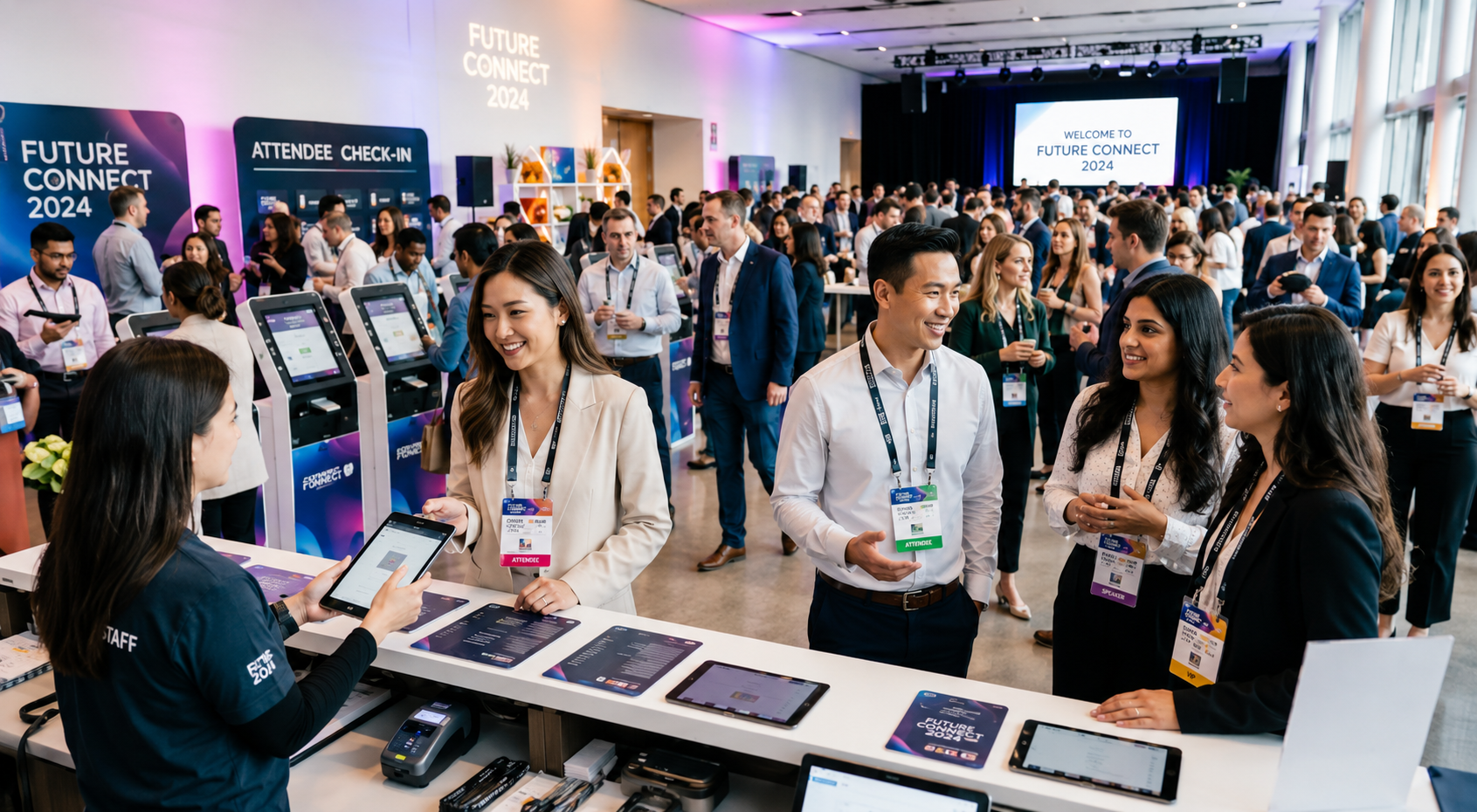
The fastest check-in is the one your staff do not have to manage at all. Self-check-in kiosks let pre-registered attendees check in and print their own badge on arrival. Your team handles walk-ups and queries. Queue time drops dramatically. MICE Concierge’s onsite registration and badging service is designed specifically for professional associations and larger conferences, combining brandable check-in kiosks with Microsoft Surface Go tablets and Epson C3500 printers for a fast, professional result.
4. Design For The Printer, Not Just The Screen
This one trips up even experienced planners. Always print five to ten test badges on the actual printer you will use at the event. Fonts can render differently on a thermal label. QR codes can lose contrast. Margins that look perfect on screen can clip on the physical label. Test before you commit to a full print run.
5. Use A Hybrid Printing Strategy
Pre-print VIP, speaker, and sponsor badges before the event. Print general attendee badges on-demand as people arrive. This gives your most important guests a polished, personalized badge waiting for them, while keeping your general check-in queue moving fast without the waste of printing badges for no-shows.
Networking Event Name Tag Design: Getting Strangers To Talk
A well-designed networking event name tag does something remarkable. It removes the awkwardness from the moment two strangers decide to introduce themselves.
Most of us are not natural networkers. We forget names the second we hear them. We struggle to remember a face out of context. And when someone strides towards us with their hand out and we have no idea who they are, we rely on their badge to save us from a deeply embarrassing moment.
Here are four design choices that make networking easier for everyone in the room.
1. Make The First Name The Undisputed Hero Of The Badge
People connect with first names. “Hi Jennifer” feels warm and human. “Hi Senior Vice President of Strategic Initiatives” does not. The first name should be the largest element on the badge, on its own line, immediately visible from across a table. Everything else, company, title, pronouns, is secondary and should be looked at.
2. Add A Conversation Starter Field
This is one of the most underused event badge ideas available to planners. Add an optional field during registration, something like “Currently working on:” or “Ask me about:”, and print the answer on the badge. Suddenly every attendee has a natural opening line that goes beyond “so, what do you do?” This works particularly well at professional association events where attendees share a field but may not know each other personally.
EVCOM, one of the UK’s leading event and communication industry bodies, notes that face-to-face events remain the most powerful driver of peer-to-peer networking, and the badge is one of the few physical tools you can design to actively support that goal before a single conversation begins.
3. Include Two Or Three Interest Or Industry Tags
Short tags printed on the badge, Marketing, SaaS, Healthcare, Research, help attendees identify who they want to speak to before they even reach them. Common at technology conferences, this approach is spreading into association events and professional congresses because it works.
4. Stop The Badge Flip
A badge that has rotated on its lanyard to show only a blank back is completely useless for networking. It is also surprisingly common. The fix is simple: either print the same key information on both sides of the badge, or use a dual-clip lanyard that attaches at two points and prevents the badge from rotating. This is a two-minute design decision that pays off every time someone glances across a table.
A final thought on inclusion: adding pronouns as an optional field during registration is a small change that makes a meaningful difference for many attendees. It costs nothing extra to add and signals that your event is a welcoming space.
Event Badge Materials And Sustainable Badge Options
The material your badge is printed on says something about your event before anyone reads a single word.
The standard option is cardboard with a glossy finish. It is durable enough for a single-day event, works with most badge printers, and is cost-effective at scale. For multi-day events or premium occasions, a heavier card stock with a matte finish feels more considered and holds up better by day two.
For VIP attendees, award ceremonies, and high-end networking events, PVC badges offer a polished, durable finish that reinforces the premium positioning of the event. They are more expensive and less eco-friendly, so use them selectively.
On the sustainability side, there are now genuinely good options that do not compromise on quality:
- Recycled paper is the simplest switch. Same printing quality, significantly lower environmental impact.
- Seed paper has become a talking point at environmentally conscious events. After the event, attendees can plant the badge and grow wildflowers or herbs. It is a memorable take-home and a sustainability story your communications team can use.
- rPET and bamboo lanyards replace synthetic lanyard materials. Collect them at the end of the event for reuse at future events.
Sustainable event badges matter beyond the environmental argument. The Event Industry News Sustainable Event Guide highlights that environmental responsibility has moved from a trend to a baseline expectation, and for professional associations with ESG commitments or sustainability-focused membership bases, the badge materials are a visible statement of values on the day. They also reduce waste: on-demand badge printing means you only print the badges you actually need, rather than preparing hundreds of badges for attendees who do not show up.
MICE Concierge’s approach to sustainability across its services, including the use of self-check-in kiosks that eliminate misprinted badge waste, is outlined on their association event planning, which also covers their Green Days Initiative. You can read more about sustainable practices in event planning on the MICE Concierge sustainability insights.
Common Event Badge Design Mistakes To Avoid
Even experienced planners make these mistakes. Here is what to watch out for.
Putting Too Much Information On The Badge
A conference name badge is not a business card. It does not need a phone number, an email address, three sponsor logos, the Wi-Fi password, the event hashtag, and a motivational quote. The more you add, the less readable everything becomes. Stick to name, company, role, and QR code as your baseline. Add anything else only if it serves a clear and specific purpose.
Making The Logo Bigger Than The Name
Everyone at your event already knows what event they are attending. They do not need a large logo reminding them. The attendee’s name is the most important element on the badge, it should be the largest text, not the event branding. Keep the logo present but small.
Designing Only For Screen
This is one of the most common and most costly mistakes. A badge that looks perfect on your monitor can look completely different when printed on a thermal label. Fonts render differently. QR codes lose contrast. Margins shift. Always print physical test badges on the actual printer you will use on the day before committing to a full print run.
Having No Backup Plan
Printer jam. Networks drop. Labels smear. These things happen, and they tend to happen at the worst possible moment. Have a second printer available, carry spare labels and ink, and keep a printed manual check-in list as a last resort. As ABPCO (the Association of British Professional Conference Organisers) consistently highlights through its professional standards guidance, operational contingency planning is a mark of professional conference management, and badge printing is no exception.
Ignoring The Badge Flip Problem
A badge hanging from a single-clip lanyard will rotate. Half the time, every attendee in the room is showing the blank back of their badge to the person they are trying to network with. Use dual-clip lanyards or double-sided printing to solve this.
Not Testing Long Names
Load the longest name on your attendee list into your badge template before you print. If “Dr. Sivasubramanian Chandrasekaran” overflows the name field or forces the font down to an unreadable size, fixing the template before the event, not during check-in.
Event Badge Design Checklist
Use this before every event.
Before You Design:
- Defined the primary goal of the badge, check-in, networking, or branding
- Chosen a badge size appropriate to your event scale
- Confirmed the badge size is compatible with your printer
During The Design Phase:
- First name at 36 to 48pt minimum in a clean sans-serif font
- Clear hierarchy: Name, then Company, then Role
- Color coding system defined for each attendee type
- QR code minimum 2.5cm × 2.5cm in high contrast black on white
- Double-sided printing or dual-clip lanyard to prevent flip
- Conversation starter or interest tags included if relevant
- Pronouns field available as an optional registration option
Before You Print:
- Test badge printed on the actual event printer
- QR codes tested in dim lighting with multiple devices
- Longest name in the attendee list tested in the template
- Backup printer and spare supplies confirmed on-site
Good Event Badge Design Pays Off The Moment Doors Open!
Event badge design is a small decision with a large operational impact. The difference between a badge that works and one that does not comes down to a handful of choices: the right size, a readable font, clear hierarchy, a working QR code, and a color system that tells your team what they need to know at a glance.
Get these right and your check-in runs faster, your networking sessions are warmer, and your attendees leave with a better impression of the event, often without knowing exactly why.
If you want expert support managing your check-in flow, on-site badging, and event registration from start to finish, the MICE Concierge team works with professional associations and businesses across the UK and internationally. Get in touch here or explore the full range of event management and logistics services to find out how they can support your next event.
Frequently Asked Questions On Event Badge Design
How To Make A Badge For An Event?
Start by choosing your badge size, then add the attendee’s name in a large sans-serif font, followed by their company and job title in smaller text. Include a QR code and apply color coding for different attendee types. Always test print on your actual printer before the event.
How Can I Design A Badge?
Use a design tool like Canva, Adobe Express, or your event registration platform’s built-in badge builder. Follow a clear hierarchy, name first, everything else second. Keep it uncluttered, use high contrast, and make sure the layout works at actual print size, not just on screen.
Can I Create My Own ID Badge?
Yes. Most event registration platforms include a badge design feature that lets you build and customize badges using your attendee data. For smaller events, tools like Canva work well. For larger professional conferences, working with an onsite registration and badging specialist ensures the design, printing, and check-in flow all work together seamlessly on the day.
Can You Make Badges For Free?
Yes. Tools like Canva, Google Slides, and several event registration platforms offer free badge templates. Free tools work well for small or informal events. For larger conferences where on-demand printing, QR code integration, and fast check-in matter, a managed badging solution is worth the investment.
Can AI Generate Good Logos?
AI tools can generate logo concepts quickly and are useful for inspiration or early-stage ideation. However, for event branding that needs to appear on badges, signage, and printed materials, a professionally designed logo will give you more control over quality, consistency, and how it reproduces at different sizes. AI-generated logos can be a good starting point but often need refinement before they are print-ready.